
Details
DRM: Readium LCP DRM
Weitere Details
Beschreibung
A recipe for having fun and getting things done with the Raspberry Pi
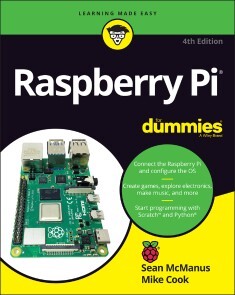
The Raspberry Pi makes it easy to learn about computers and computer programming, andRaspberry Pi For Dummies makes it even easier! Using this extremely affordable and compact computer, you can learn to code in languages like Scratch and Python, explore how electronics work, create computer-generated buildings in Minecraft and music in Sonic Pic, become Linux-savvy, make Internet-of-Things devices, or just play around! This book gets you up and running on your Raspberry Pi, starting with setting it up, downloading the operating system, and using the desktop environment. Then, the only limit is your imagination! It doesnt matter whether you have a Raspberry Pi 4, Raspberry Pi 400, Raspberry Pi Zero W or an older model: weve got you covered.
Raspberry Pi For Dummies explores the latest technologythe Raspberry Pi 4 and 400, Scratch 3 programming language, new games bundled with the Raspberry Pi, and the hottest Add-Ons out there. This introductory guide is the perfect place to start if you want to get a taste of everything the Raspberry Pi can do!
- Set up your Raspberry Pi, install the operating system, and connect to the Internet
- Learn the basics of the Linux desktop and Linux shell so you can program, work, and play
- Use Python, Scratch, and Sonic Pi to write your first programs and make games and digital music
- Discover how circuits work hand-in-hand with your Pi
If you want to make the most of the Raspberry Pi for school, work, or play, youll love this easy-to-read reference.
Über Sean McManus, Mike Cook
Sean McManusis an expert technology and business author. His previous books includeMission Python, Coder Academy, andCool Scratch Projects in Easy Steps.
Mike Cookis a former professor in physics at Manchester Metropolitan University. His other books includeRaspberry Pi Projects andRaspberry Pi Projects For Dummies.
Inhalt
Introduction 1
Part 1: Setting Up Your Raspberry Pi 5
Chapter 1: Introducing the Raspberry Pi 7
Chapter 2: Downloading the Operating System 25
Chapter 3: Connecting Your Raspberry Pi 33
Part 2: Getting Started with Linux 49
Chapter 4: Using the Desktop Environment 51
Chapter 5: Using the Linux Shell 79
Part 3: Using the Raspberry Pi for Both Work and Play 119
Chapter 6: Being Productive with the Raspberry Pi 121
Chapter 7: Editing Photos on the Raspberry Pi with GIMP 133
Chapter 8: Playing Audio and Video on the Raspberry Pi 143
Part 4: Programming the Raspberry Pi 155
Chapter 9: Introducing Programming with Scratch 157
Chapter 10: Programming an Arcade Game Using Scratch 177
Chapter 11: Writing Programs in Python 201
Chapter 12: Creating a Game with Python and Pygame Zero 233
Chapter 13: Programming Minecraft with Python 251
Chapter 14: Making Music with Sonic Pi 275
Part 5: Exploring Electronics with the Raspberry Pi 291
Chapter 15: Understanding Circuits 293
Chapter 16: Taking Control of Your Pis Circuitry 319
Chapter 17: Lots of Multicolored LEDs 357
Chapter 18: Old McDonalds Farm and Other RFID Adventures. 391
Part 6: The Part of Tens 425
Chapter 19: Ten Great Software Packages for the Raspberry Pi 427
Chapter 20: Ten Inspiring Projects for the Raspberry Pi 439
Chapter 21: Ten Great Add-Ons for the Raspberry Pi 447
Appendix: Troubleshooting and Configuring the Raspberry Pi 455
Index 467
E-Book Informationen
Alle hier erworbenen E-Books können Sie in Ihrem Kundenkonto in die kostenlose PocketBook Cloud laden. Dadurch haben Sie den Vorteil, dass Sie von Ihrem PocketBook E-Reader, Ihrem Smartphone, Tablet und PC jederzeit auf Ihre gekauften und bereits vorhandenen E-Books Zugriff haben.
Um die PocketBook Cloud zu aktivieren, loggen Sie sich bitte in Ihrem Kundenkonto ein und gehen dort in den Bereich „Downloads“. Setzen Sie hier einen Haken bei „Neue E-Book-Käufe automatisch zu meiner Cloud hinzufügen.“. Dadurch wird ein PocketBook Cloud Konto für Sie angelegt. Die Zugangsdaten sind dabei dieselben wie in diesem Webshop.
Weitere Informationen zur PocketBook Cloud finden Sie unter www.meinpocketbook.de.
Allgemeine E-Book-Informationen
E-Books in diesem Webshop können in den Dateiformaten EPUB und PDF vorliegen und können ggf. mit einem Kopierschutz versehen sein. Sie finden die entsprechenden Informationen in der Detailansicht des jeweiligen Titels.
E-Books ohne Kopierschutz oder mit einem digitalen Wasserzeichen können Sie problemlos auf Ihr Gerät übertragen. Sie müssen lediglich die Kompatibilität mit Ihrem Gerät prüfen.
Um E-Books, die mit Adobe DRM geschützt sind, auf Ihr Lesegerät zu übertragen, benötigen Sie zusätzlich eine Adobe ID und die kostenlose Software Adobe® Digital Editions, wo Sie Ihre Adobe ID hinterlegen müssen. Beim Herunterladen eines mit Adobe DRM geschützten E-Books erhalten Sie zunächst eine .acsm-Datei, die Sie in Adobe® Digital Editions öffnen müssen. Durch diesen Prozess wird das E-Book mit Ihrer Adobe-ID verknüpft und in Adobe® Digital Editions geöffnet.
Ab dem 02.02.2026:
Adobe DRM wird durch ReadiumLCP ersetzt, ein Kopierschutz, der problemlos auf Ihren e-readern eingesetzt werden kann. Ausnahme: für Laptop oder PC benötigenSie den Thorium Reader, der kostenlos downloadbar ist.
Bei E-Books die mit Readium LCP geschützt sind erscheint bei dem ersten Öffnen auf ihrem Reader ein Hinweisfenster mit der Aufforderung ein Passwort einzugeben. Gleichzeitig öffnet sich ein Infofeld in dem das Passwort steht. Tragen Sie dieses Passwort in das Eingabefeld ein und bestätigen Sie die Eingabe. Danach öffnet sich das E-Book automatisch.
Um E-Books die mit Readium LCP geschützt sind auf einem Tablet/Laptop/Smartphone lesen zu können, benötigen Sie ein Programm, das in der Lage ist, mit diesem Kopierschutz umzugehen. Das ist z.B. der Thorium Reader (Windows, Mac, Linux) oder die PocketBook App (iOS, Android). Fügen Sie das heruntergeladene E-Book in das Programm ein. Bei dem ersten Öffnen erscheint ein Hinweisfenster mit der Aufforderung ein Passwort einzugeben. Gleichzeitig öffnet sich ein Infofeld in dem das Passwort steht. Tragen Sie dieses Passwort in das Eingabefeld ein und bestätigen Sie die Eingabe. Danach öffnet sich das E-Book automatisch.